


How to Cancel Your Event Registration
If your plans change and you can no longer attend an event you registered for, you can easily cancel your registration directly from the event page. Unregistering frees up your spot for other community members who may be interested in attending.
Where to Find the Unregister Option
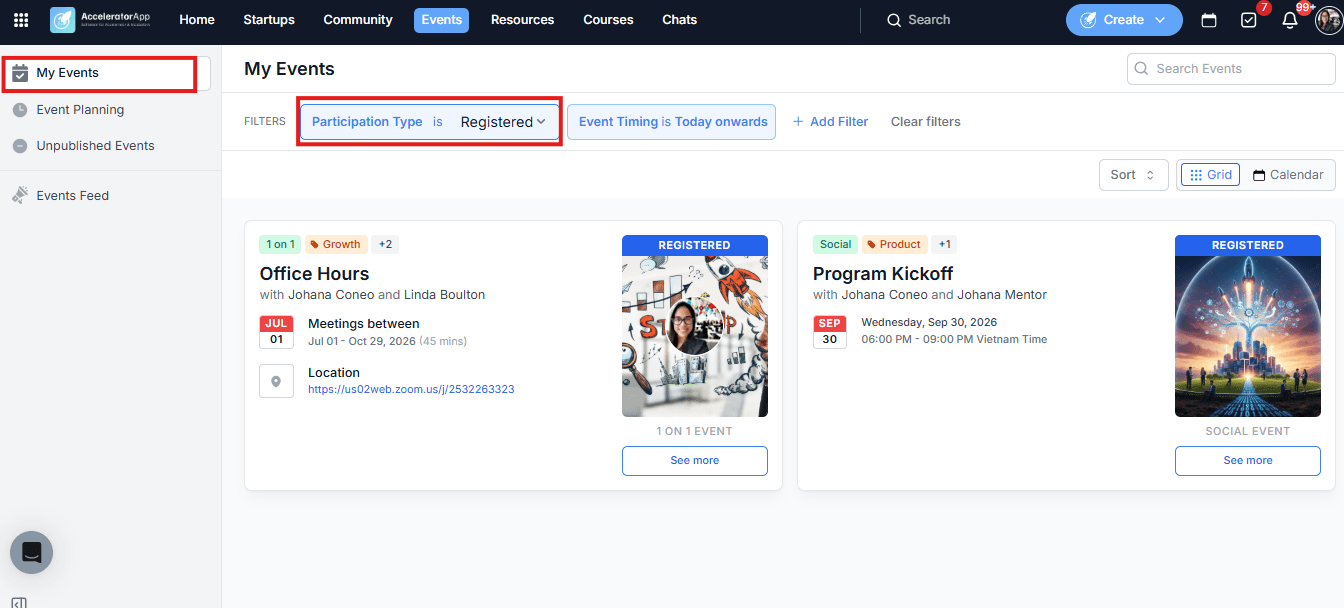
Click on Events in the top navigation menu to open the Events feed, then locate the event you want to cancel your registration for.
To quickly find events you are already registered for, go to the Events feed, click on My Events in the left sidebar, and use the Participation Type filter to select Registered. This gives you a focused view of only the events you have signed up for, making it easier to manage your registrations.
Step-by-Step
1. Cancel a Group Event Registration
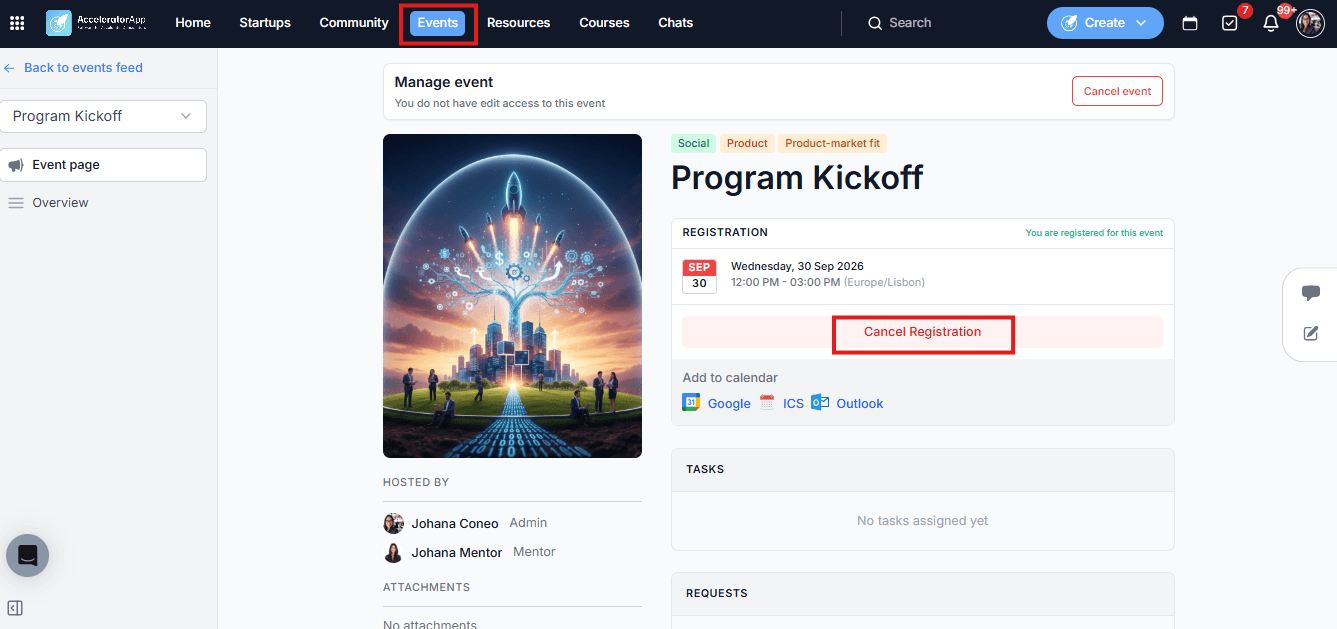
- In the Events feed, find the group event you registered for and click on it to open the event detail page.
- The Register button will have changed to Cancel registration — reflecting your current registration status.
- Click Cancel meeting registration.
Your spot will be released and you will no longer appear as a registered attendee for that event.
2. Cancel a One-on-One Booking
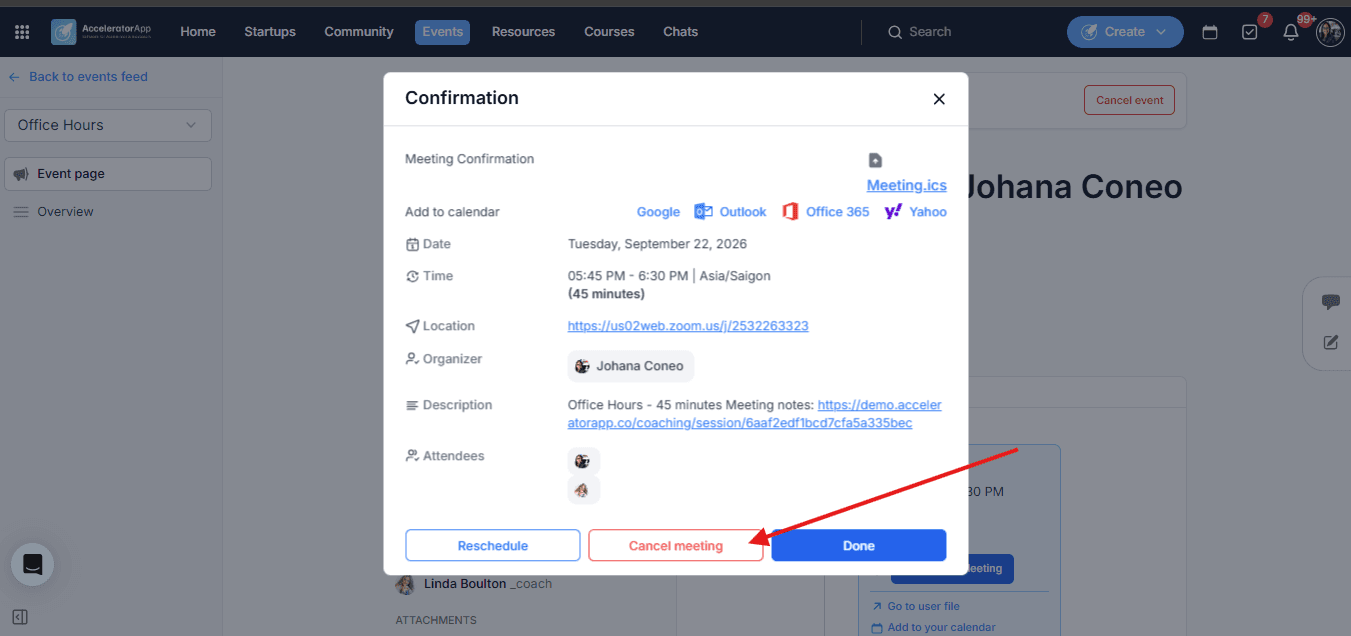
- In the Events feed, find the one-on-one event and click on it to open the event page.
- Click on the calendar card to open the booking details.
- Click Cancel to withdraw your booking.
Best Practices
- Cancel as soon as you know you cannot attend. Events often have a limited number of spots — cancelling promptly gives other community members the opportunity to register or book in your place.
- Check the event's minimum notice period. Some events may restrict cancellations within a certain time window before the start time. If the Unregister or Cancel option is no longer available, contact your program administrator for assistance.